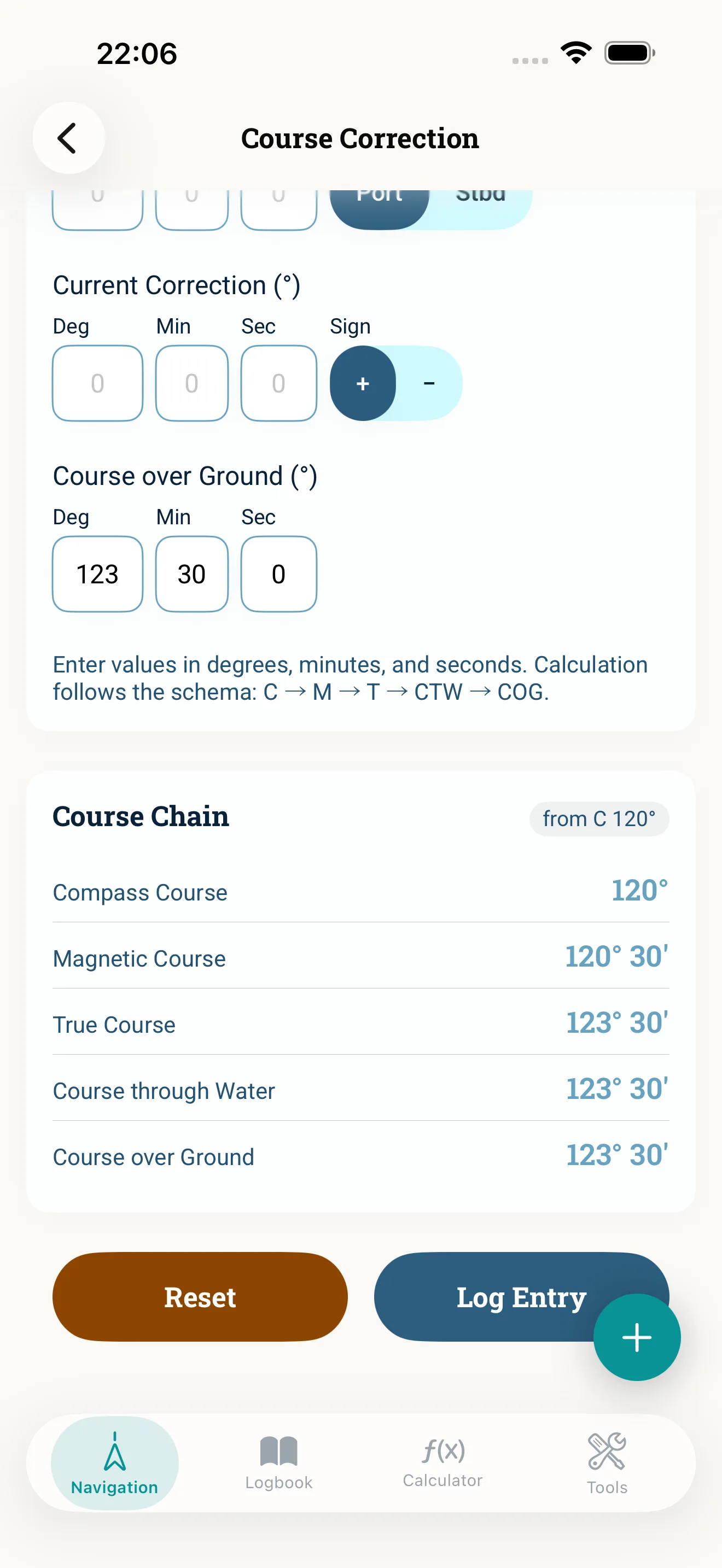
Course conversion turns the line on the chart into a course you can steer on the compass. When planning you work backwards: you start with the course over ground (COG), remove the tidal stream and the wind first, and then apply variation and deviation to get the compass course you steer. This guide walks through the chain step by step in NauticCalc. NauticCalc shows the whole course chain — compass, magnetic, true, through the water and over ground — not just the result.
Prerequisites
- COG for the leg: the course line on the chart
- Tidal stream (set and drift) and leeway, if they apply
- Variation for your position (Variation)
- A maintained deviation table for your boat
Step 1: Enter the COG
Open course conversion, choose the backward calculation and enter the leg course from the chart. Check briefly that it matches the planned track – a swapped waypoint is easiest to spot here.
Step 2: Remove the tidal stream
Work out the stream correction angle from set and drift – with the tidal stream triangle in the Current correction calculator – and enter it. This gives the course through the water you need so that you stay on the line despite the stream. Background: tidal stream triangle.
Step 3: Remove leeway
Enter the leeway. The course through the water becomes the true course. Mind the side: wind from starboard pushes you to port, so you have to aim further to starboard. If the wind or current correction exceeds 45°, the app shows a note — usually the drift angle was worked out for a different course. Up to app version 1.7.1 NauticCalc applied leeway to the wrong side; since 1.8.0 it is right. Please re-check any courses you worked out with an older version.
If you do not know the leeway, the separate wind correction calculator works it out: wind force in Beaufort or knots, plus your point of sail — on the wind, half wind or broad reach, for the side the wind comes from.
Step 4: Apply variation
The app takes the variation for your position from the World Magnetic Model 2025, or you enter the value from the chart. The true course becomes the magnetic course. Rule of thumb: East is least, West is best. The sign is the most common source of error in the whole chain.
Step 5: Apply deviation
Take the value from your deviation table. The magnetic course becomes the compass course – the course you steer on the boat's compass. Since app version 1.9.0 you enter deviation as a sign, no longer as East or West; East and West now appear only for variation.
Step 6: Check at sea
On the way, check roughly with GPS that you stay on the line. If your track drifts off, adjust your estimate for stream and wind instead of steering on "blind". The whole chain also works offline.
Typical mistakes
- Applying wind and stream after variation and deviation – they belong between COG and true course
- Wrong sign for variation or deviation
- Not inverting the signs when working backwards
- Lumping variation and deviation together
Two fully worked exercises, forwards and backwards, are in the blog article.
Read next: Blog: Course conversion step by step · Current correction