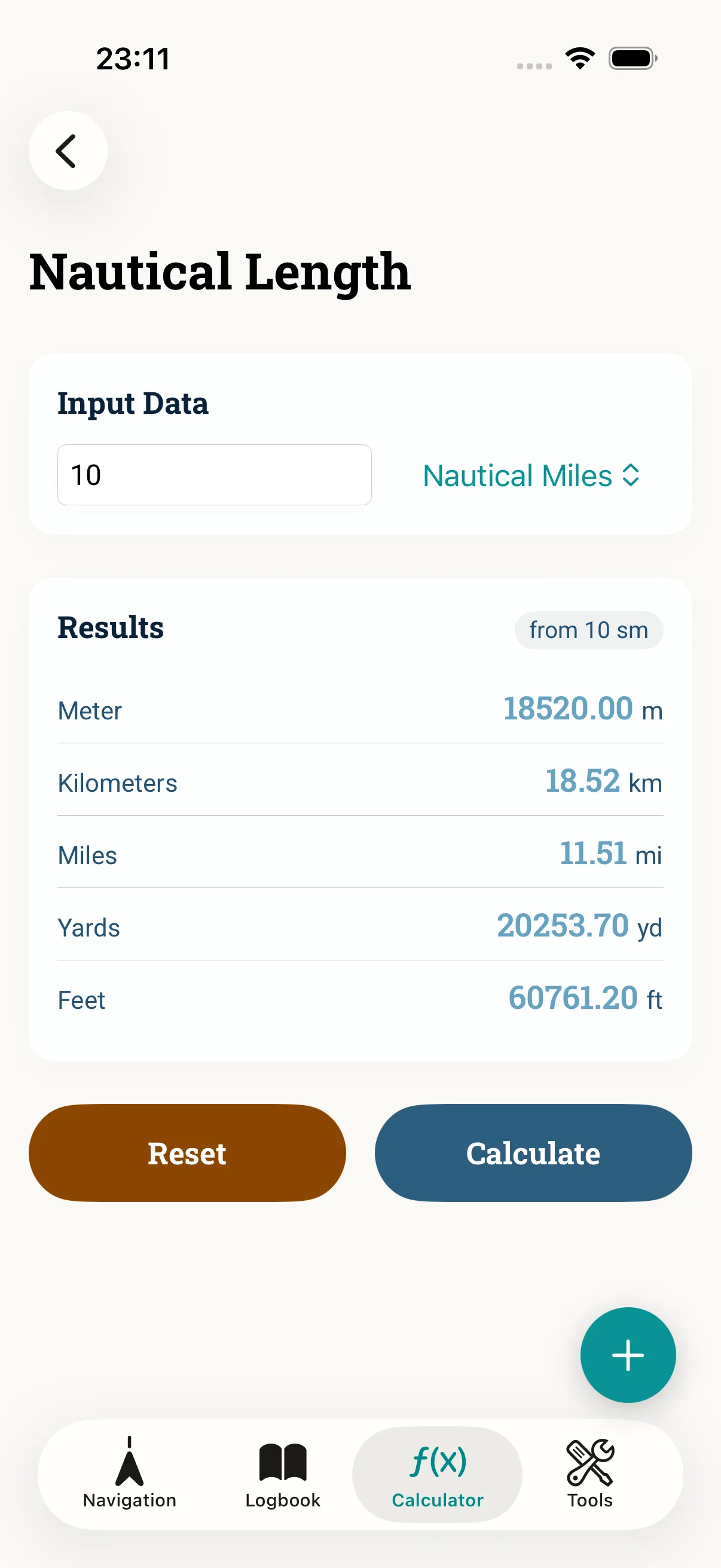
On board many units meet: knots and km/h, nautical miles and metres, Beaufort and m/s, degrees Celsius and Fahrenheit, metres and fathoms. The converters in NauticCalc keep this at hand — completely offline. This guide shows which cases come up most often on the bridge and how to stay consistent.
Prerequisites
- NauticCalc installed — no network required
- Clarity about your target unit (what chart, log and radio expect)
Step 1: Find the conversions
Open Nautical conversions. Available are, among others, speed, distance, wind force (Beaufort), temperature and depth — each in both directions.
Step 2: Typical cases
- kn → km/h for the crew ashore or road comparisons
- nm ↔ m for distances that feed into the ETA
- Beaufort ↔ kn/m/s to roughly place wind forecasts for the correction
- m ↔ fathoms and °C ↔ °F when charts or instruments use other units
Step 3: Stay consistent
Use the same units (nm, kn) throughout ETA, logbook and course work. A value converted once should not later be reused accidentally in the original unit.
Common mistakes
- Reusing the result in the wrong unit
- Swapping comma and point as the decimal separator
- Equating Beaufort with a fixed kn figure instead of the range
- Confusing the nautical mile and the statute mile
Read next: ETA guide · Features overview