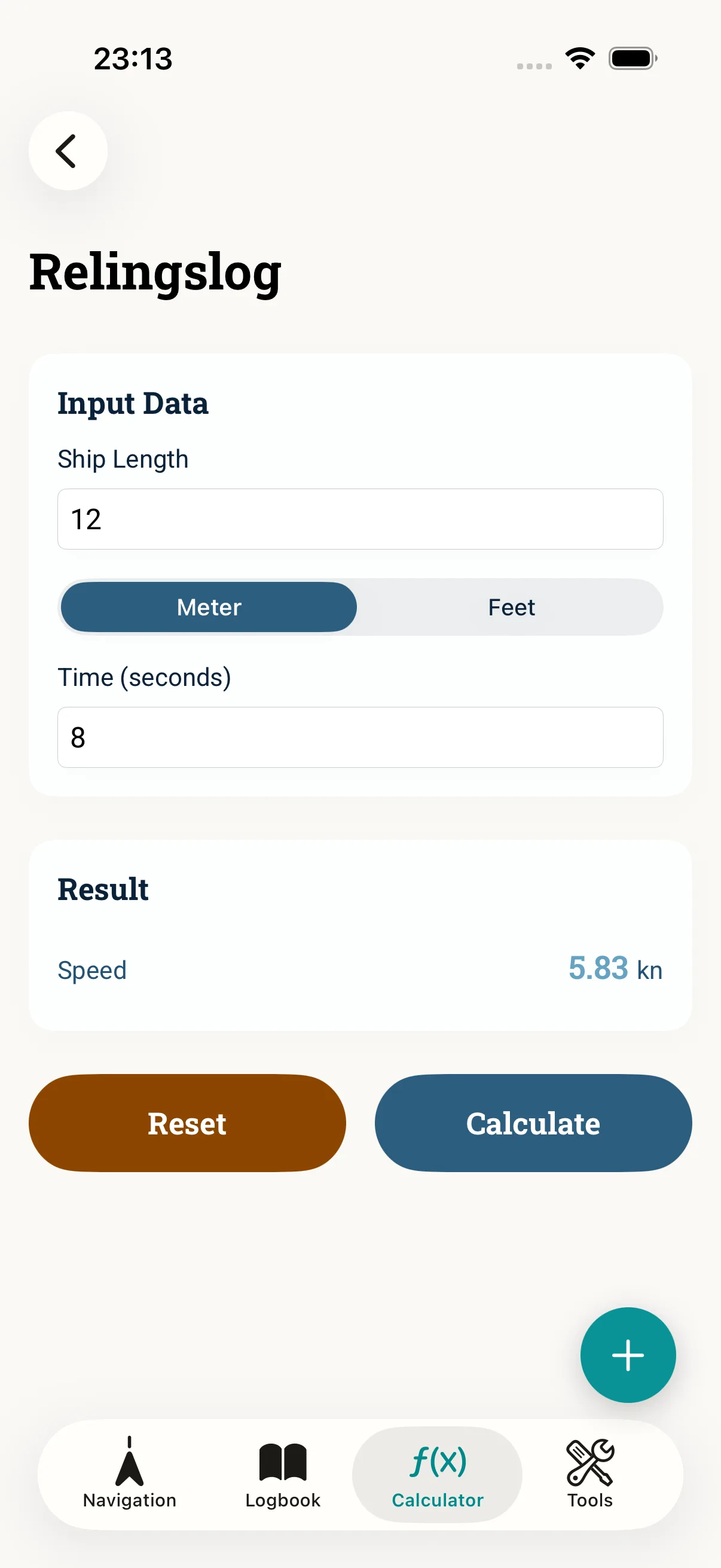
The log line is the classic way to measure speed without a log sensor or GPS: you time how long an object takes to pass along your known boat length. NauticCalc turns that into speed in knots. This guide shows the setup, the measurement and the cross-check.
Prerequisites
- Known boat length (LWL or hull length)
- A reference point that drifts past (land, floating debris, another boat)
- A steady hand for start/stop of the time
Step 1: Log line in the app
Open Log line and enter the length of your boat. The more accurate the length, the more accurate the result — measure again if in doubt.
Step 2: Take the measurement
Choose a point that drifts past the rail. Start the time when it passes the bow and stop when it is past the stern. Repeat the measurement a few times and average — waves and reaction time scatter the result.
Step 3: Read the result
The app computes the speed (kn) from length and time. Compare it with GPS/SOG to get a feel for your boat — the difference is also a clue to current.
Step 4: Use it for planning
Use the measured speed as a realistic value for ETA planning. An experience value is more reliable than a wish speed.
Common mistakes
- Storing the wrong boat length
- Taking only a single measurement instead of averaging
- Equating speed through water with speed over ground (SOG)
- Hitting the start/stop of the time imprecisely
Read next: Log line feature · Conversions