Prerequisites
- NauticCalc on the iPhone (iOS 17.6+)
- True wind (from the forecast) or apparent wind (from your instruments)
- Your own speed through the water in knots (kn)
Step 1: Open the calculator
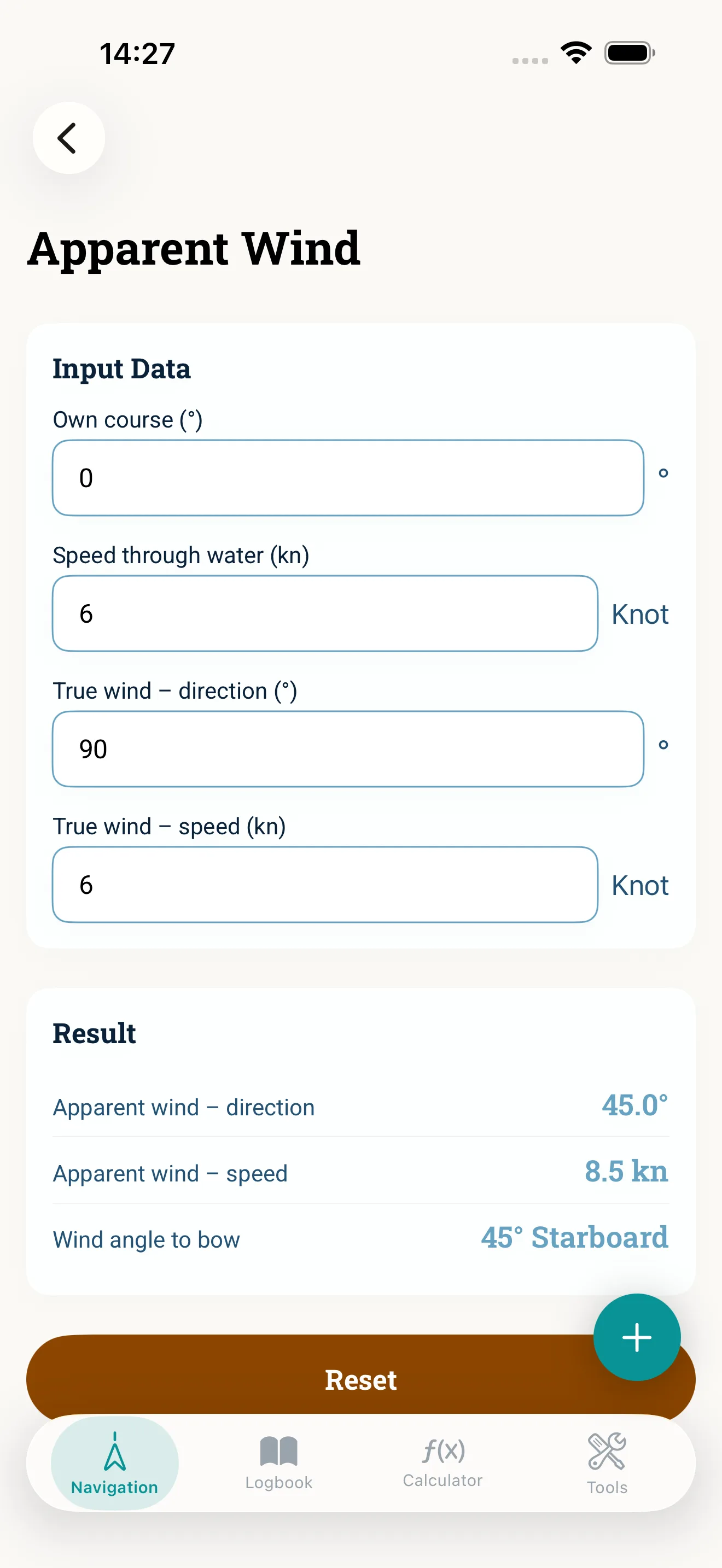
Open Apparent wind in the navigation area. The core calculator runs offline on the device — no account, no network.
Step 2: Choose the direction
Two ways: apparent from true (for sail trim and beating to windward) or true from apparent (to check the forecast against the instrument). Pick the one that fits the task.
Step 3: Enter the values
Enter wind speed, wind angle and boat speed. Keep units consistent (kn, degrees) and note the reference of the wind angle (relative to the bow).
Step 4: Use the result
The app shows wind speed and angle — presented so you can follow it. Use it for trim and course work; for the full course chain continue with course correction.
Common mistakes
- Confusing true and apparent wind
- Entering the wind angle against the wrong reference (bow instead of north)
- Treating it as a replacement for calibrated wind instruments — the calculator is a support tool for cross-checking
Read next: Apparent wind (feature) · Course correction