Beta · Navigation
NMEA instruments — live values instead of retyping
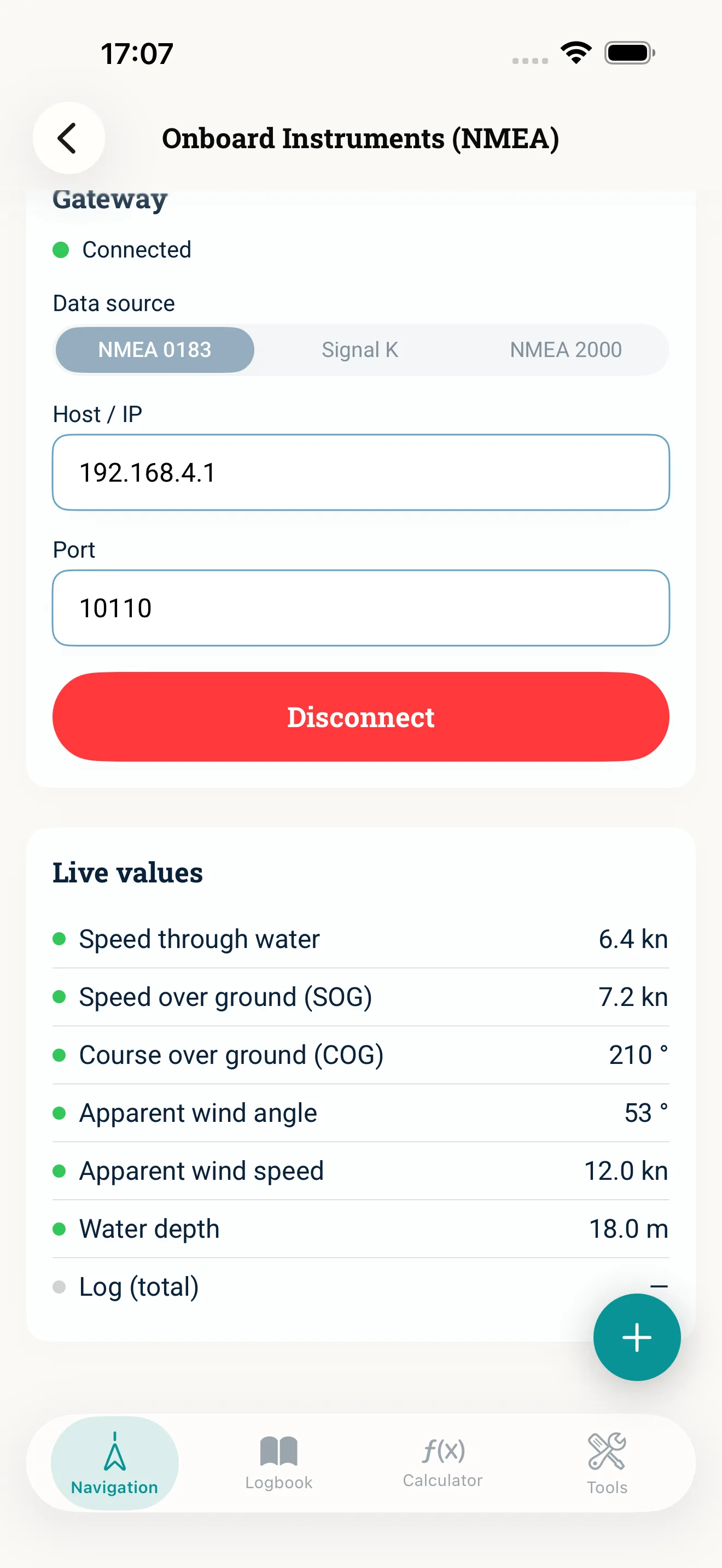
Your gateway on the onboard Wi-Fi delivers what the instruments measure: speed through water, course over ground, wind and depth. NauticCalc reads along and carries the values into the calculators, logbook and voyage planning at the tap of a button.
Read it, remember it, type it again
The log shows speed through water, the display shows the course, the wind vane shows the wind — and for every calculation you type the same numbers in again. In a seaway that is a nuisance, and every transcription is one more chance to get it wrong.
What NauticCalc delivers
- ·Three transports: NMEA 0183, Signal K and NMEA 2000 (raw) — enter host and port once and you are set
- ·Live values with a freshness indicator: speed through water, speed and course over ground, apparent wind and depth
- ·Carry them across at the tap of a button — into the calculators, the logbook and voyage planning
- ·Requirement: an NMEA gateway on the onboard Wi-Fi — without a gateway the screen stays empty
- ·Beta: switched on for everyone and still marked as beta — reports from your gateway help us
It stays on board
The connection only ever goes to your own gateway on the local onboard Wi-Fi. Instrument data does not leave the device — nothing is uploaded or stored, unless you carry a value into the logbook yourself.
Why beta
The parser, the value transfer and the reconnect logic are tested. What cannot be signed off in advance are the dialects of third-party gateway hardware — hence beta. Reports from your setup help us along.
Frequently asked questions
An NMEA gateway that puts the instrument data on the onboard Wi-Fi, and an iPhone on that same network. In the app you enter host and port and pick the transport — NMEA 0183, Signal K or NMEA 2000 (raw).
The feature is now switched on for everyone and is still marked as beta. It needs app version 1.7.0 or later — if you cannot see it, update the app in the App Store.
No. The app only talks to your gateway on the local network. There is no cloud in between, and values are only stored where you put them yourself — in a logbook entry, for instance.
Related topics
Instruments and calculators in one tool
Buy once · No subscription · iOS 17.6+