Prerequisites
- NauticCalc on your iPhone (iOS 17.6+, app version 1.7.0 or later)
- An NMEA gateway that puts the instrument data on the onboard Wi-Fi
- The gateway's host or IP address and port (commonly 10110 for NMEA 0183, 3000 for Signal K)
Step 1: Join the right Wi-Fi
Connect the iPhone to the onboard Wi-Fi the gateway is on — not the marina network and not mobile data. Without a shared network there is no connection.
Step 2: Open the onboard instruments
Under Navigation you will find Onboard instruments (NMEA). The screen is marked beta: the gateway dialects of third-party hardware cannot all be signed off in advance.
Step 3: Choose the data source
Pick the transport your gateway speaks:
- NMEA 0183 — text sentences, the most common case with Wi-Fi gateways
- Signal K — when a Signal K server is running on board
- NMEA 2000 — for gateways that pass the bus through raw
The port switches to the usual default when you change transport, as long as you have not set it yourself.
Step 4: Enter host and port
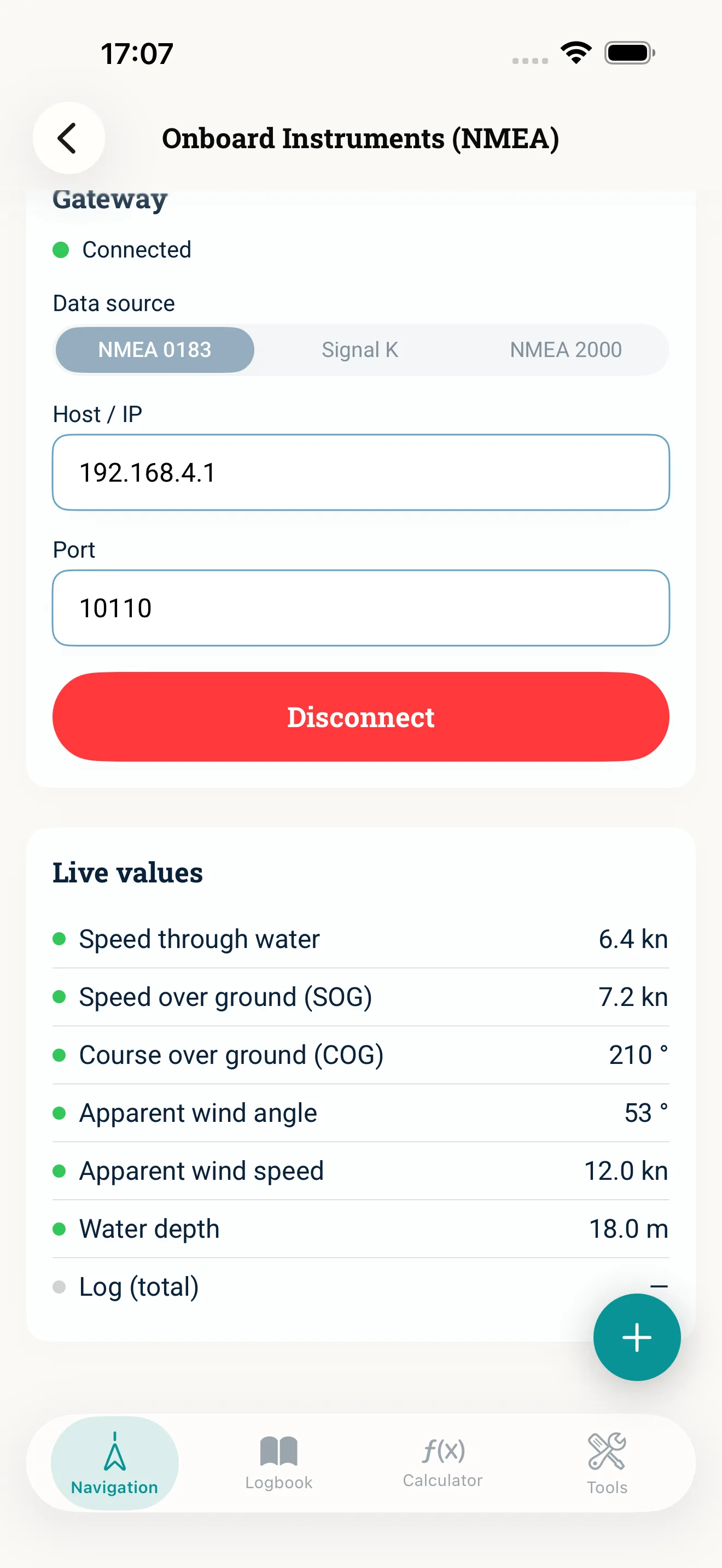
Fill in Host / IP (for example 192.168.4.1) and check the port. Both are in the gateway's manual or its configuration interface.
Step 5: Connect and allow the network
Tap Connect. The first time, iOS asks for local network permission — without it the connection stays silent. If the dialog was dismissed by accident, you can grant it later under Privacy in the iOS settings.
Once the status reads Connected, the live values fill in: speed through water, speed and course over ground, apparent wind and depth. A dot next to each value shows how fresh it is.
Step 6: Carry values across
The live values can be carried into the calculators, the logbook and voyage planning at the tap of a button. For correction work make sure you take speed through water rather than speed over ground — with current running the two differ noticeably.
Common mistakes
- The iPhone is on the wrong Wi-Fi or on mobile data
- Local network permission declined; the iOS dialog only appears on the first attempt
- Wrong port for the chosen transport
- Speed over ground carried across instead of speed through water
- Expecting values no instrument provides — no log transducer, no speed through water
Read next: Onboard instruments (feature) · NMEA data on board · Logbook