Voyage planning
Polar diagram — the ETA uses your boat
One flat speed says nothing about how fast your boat really is close-hauled in 12 knots. Add your polar and voyage planning works out arrival time, sail plan and tacking angles from your actual speed for the wind and angle.
One number cannot cover every wind
Planning with five knots of cruising speed gets no single course right: close-hauled it is less, broad reaching in fresh wind considerably more — and in the no-go zone nothing at all. That is exactly why arrival times that look fine on paper end up hours out on the water.
What NauticCalc delivers
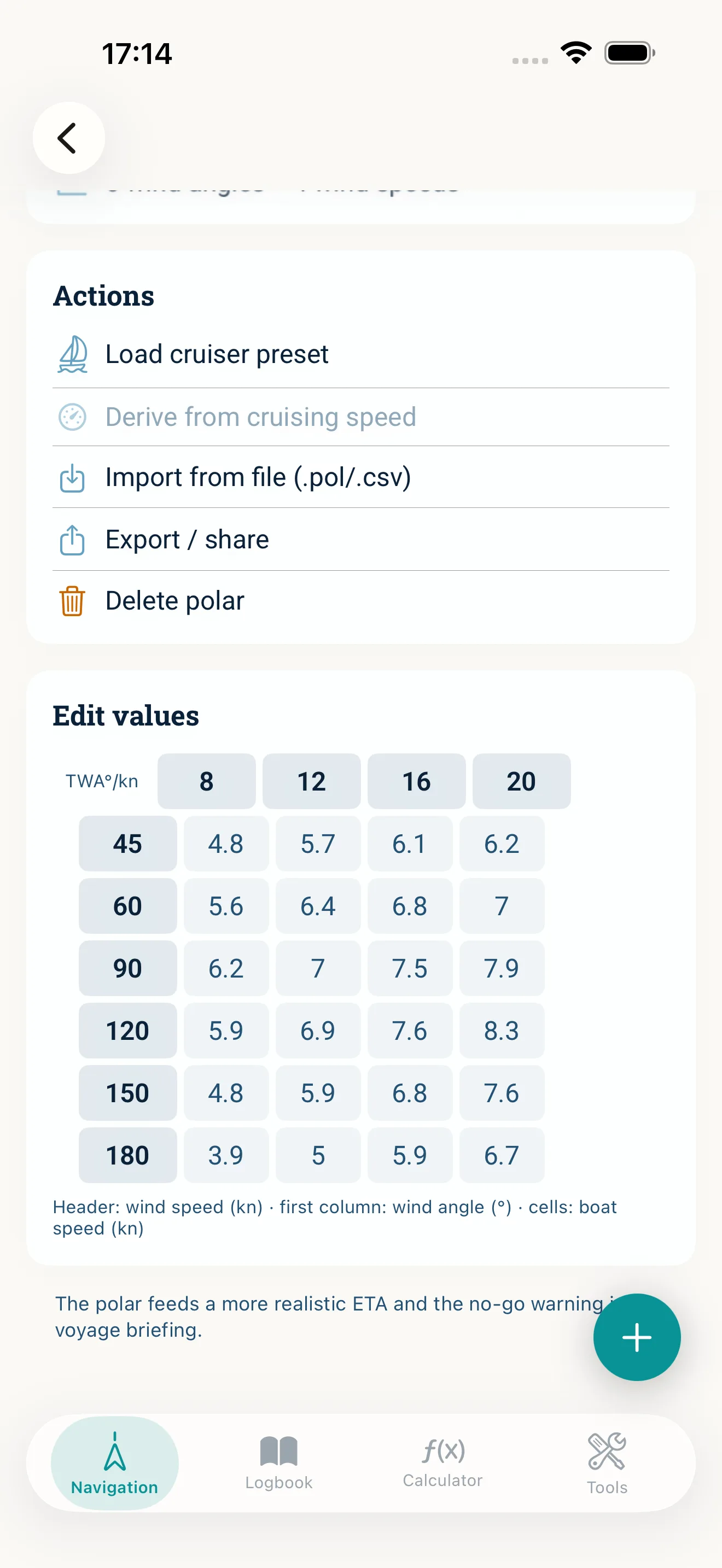
- ·Add your polar: import .pol/.csv, load one of six templates (daysailer to cruising catamaran), derive it from your cruising speed or edit the TWA×TWS grid by hand
- ·Arrival time per leg from your speed in the expected wind — instead of one fixed cruising figure
- ·No-go warning when the course is too close to the wind, instead of an ETA you cannot hold under sail
- ·Beating and gybing plan with tack headings, close-hauled angle, extra distance and sailing time — add the turning point to your route with one tap
- ·Sail plan per leg: close-hauled, beam reach, broad reach or “motor recommended”
Worked out offline
The polar lives in the boat profile on your device and the interpolation runs locally. Only the wind forecast for the leg comes from the network — the polar maths itself needs none.
Your numbers, in the open
The grid is right there in the editor: wind angle, wind speed, boat speed. You can see what is being used, correct any cell and export the polar.
Frequently asked questions
Often from the builder or class association, from ORC/rating data, or from racing software as a .pol file. If you have none of those, load one of the six templates from the library (daysailer to cruising catamaran) or derive the polar from your cruising speed — cruder, but still closer to reality than one fixed figure.
Common .pol and .csv tables in TWA×TWS layout: wind speed across the header row, wind angle down the first column, boat speed in knots in the cells.
The app does not promise an arrival time for the direct course. It flags the no-go zone and works out a beating plan for you: headings for both tacks, the extra distance and the sailing time.
Related topics
Arrival times that match your boat
Buy once · No subscription · iOS 17.6+