Prerequisites
- NauticCalc on your iPhone (iOS 17.6+)
- Optionally a
.polor.csvfile holding your boat's polar - Without a file of your own: your boat's cruising speed in knots
Step 1: Open the polar editor
From any section, tap the gear at the top right, then Boat profile, then Polar diagram. The status at the top reads "No polar" until something is stored.
Step 2: Bring in a polar
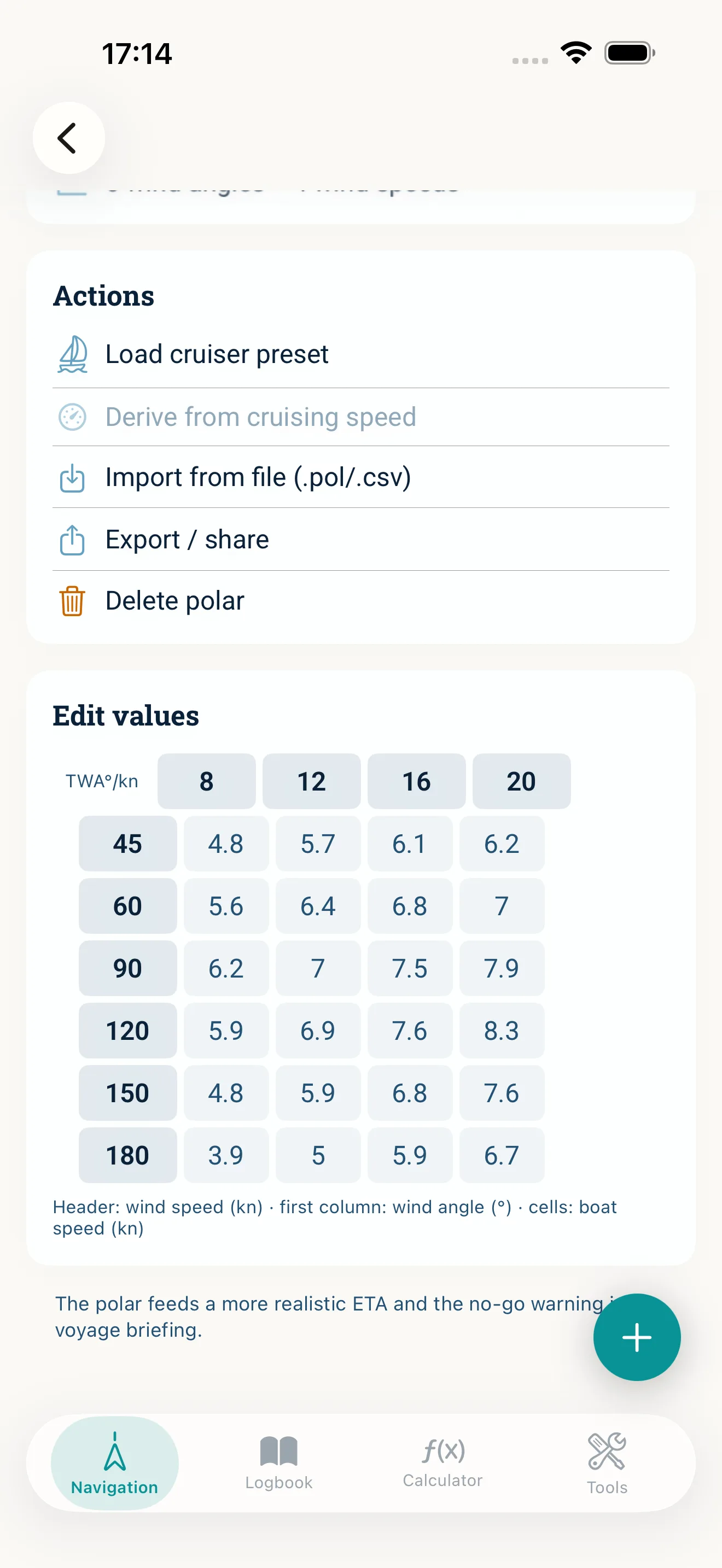
You have four routes, and they do not exclude each other — each simply overwrites the grid:
- Import from file (.pol/.csv) — the most accurate route if you have a polar from the designer, from ORC data or from racing software.
- Load a template from the library — six templates from daysailer to cruising catamaran. Take the one closest to your boat; a good starting point without data of your own.
- Derive from cruising speed — builds an approximation from your cruising speed. Only available when a cruising speed is stored in the boat profile.
- By hand — type the values straight into the grid.
Step 3: Check the grid
Under Edit values the table lies open: header row wind speed in knots, first column wind angle in degrees, and boat speed in the cells. Go through it once — above all the 45° row, because that is what later decides the no-go warning.
An incomplete grid is not saved; the app keeps a note visible until every cell holds a valid number.
Step 4: Use it in the briefing
Create a voyage plan as usual and pick the polar diagram under Source. As soon as a valid polar is stored, the arrival time uses your speed in the expected wind, and you also get the sail plan for each leg. If the course lies too close to the wind, the no-go warning appears together with the beating plan — including a button that drops the turning point into your route.
Step 5: Back it up and share it
Export / share writes the current polar out as a file — handy as a backup, or to put the same polar on a second device.
Common mistakes
- Entering apparent wind values — a polar works with true wind
- Taking a racing polar unchanged into cruising; the real numbers sit below it
- Too coarse a grid: with only two wind angles the app interpolates straight across the range that matters
- Expecting the polar to account for the sea state — it applies to smooth water
Read next: Polar diagram (feature) · Understanding the polar diagram · Create a voyage briefing